
About

Are you like us? Full blown in love with Delphi? Wonderful programming language that you used for years creating fast and beautiful applications. Anything was possible! Desktop, server, you name it! Then something started to change… Apple, Android, Linux and suddenly there were a gazillion of platforms to target. It wasn’t enough to make the best application on Windows. Heck, it wasn’t enough to make it cross platform by making it work on Mac either. No, a brave new world had arrived. A world where the browser is the king and where phones are used more than Windows computers.
For years you’ve been happy and proud programming fast compiled code. Now suddenly everything has changed. You never respected Visual Basic, did you? But now you suddenly need to learn and use another interpreted language, JavaScript, which makes you feel uneasy. Having to choose from a gazillion different programming environments and frameworks doesn’t make it easier. Which one should you choose?
And then, the mobile devices? iPads, iPhones, all those different Androids. XCode, Java and as you don’t want to abandon Microsoft, C#. Heck, making applications these days is quite a challenge!
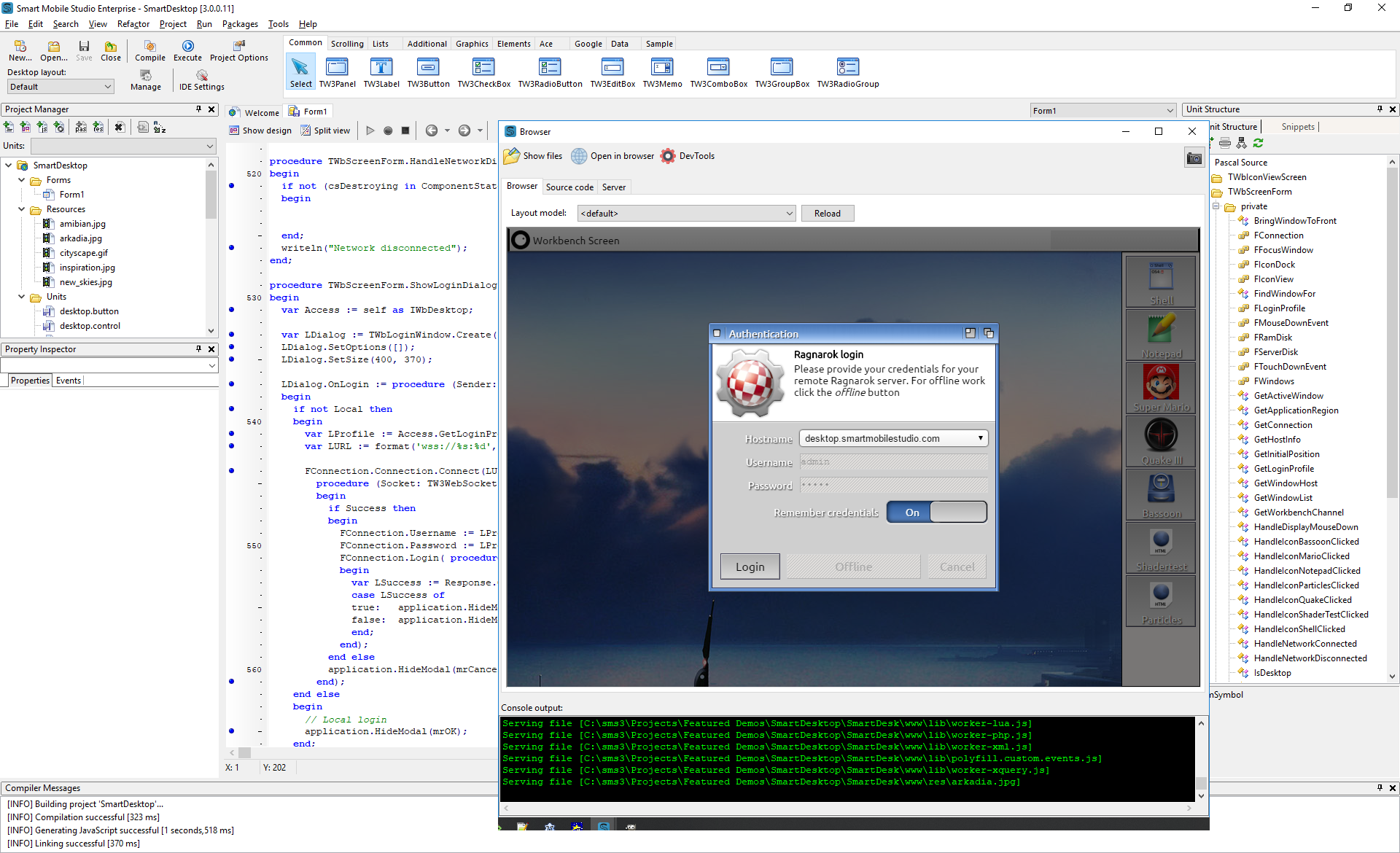
Smart Mobile Studio IDE
Have no fear! Delphi is still the king! You can compile to Mac. You can do Linux. You can write FireMonkey apps for the phones. And now… you can develop wonderful apps for the browsers, thanks to Smart Mobile Studio 3.
With Smart Mobile Studio you can write Object Pascal , which is compiled to JavaScript. You get all the advantages of a strongly typed language, which prevents you from making bugs. You also don’t have to fight with all the differences between browsers and mobile environments. The RTL takes care of the quirks just like Delphi did with WinApi.
Write your code and it’s compiled in a blink of an eye, just like in Delphi. Click Run and your app starts in an integrated browser. Fire up a browser in your phone and you get it there too! Open your project in 10 devices and see how it works on all platforms immediately. Do a change in your code and hit CTRL+F9, and instantely see the changes on all the devices! And it’s not only visible, but optimized for mobile devices. All the nice gestures and animations work. Swipe a tab! Scroll that ListBox!
Smart Mobile Studio 3 is finally the programming environment that you can use to target anything. You can finally write that app for the browser and use the same code to make a full blown app to the Android and iOS app stores with the help of Cordova. And yeah, also the Windows 10 store! And embedded boards! And the cloud through Node.js!
As an example of what Smart Mobile Studio 3 can do, we’ve written a Smart Desktop -demo to show what is possible. Go to desktop.smartmobilestudio.com and hit the Login-button. The Desktop communicates with a Linux-server running a NodeJS-server application, which is also written in Smart Mobile Studio. The source code of both demos is included in Smart Mobile Studio 3.
One programming language, all platforms, all stores! Life is good!